Guide · updated 2026-10-14
How to include wedding guests who can't attend
Every wedding has people missing: grandparents who cannot travel, friends abroad, someone with a new baby. Messages from them, collected before the day, let them be part of it.
Short version: Get the list of people who declined from the couple or their parents, send them a link two to three weeks before, and play a few of the messages at the reception, during the speeches or after dinner.
Timeline
3 weeks before
Get the list of people who declined from the couple, their parents or the wedding party.
2½ weeks before
Record your own message and send the link.
1 week before
Deadline. Choose three or four messages for the reception and test the venue's speaker.
The reception
Play them during the speeches or after dinner, then give the couple the full recording.
Message to send
We know you can't be at Ana and Joe's wedding on 6 June, and they'll miss you. Could you record a short message for them by 30 May? Say who you are, then how you know them, a piece of advice for married life, or what you wish them. We'll play some at the reception.
Change the names and dates, then paste it into your group chat or email.
Who to ask
Ask the couple's parents or the best man or maid of honour for the list of people who declined. If it is a surprise for the couple, keep it among the families and the wedding party.
At the reception
Ask the best man, the maid of honour or the DJ to introduce it, and play three or four messages, a minute each, through the PA. Give the couple the full recording afterwards.
What usually goes wrong
- Sound at the venue. Test the speaker and the cable or Bluetooth before the day.
- Too long. Pick the messages to play; the speeches already run long.
- Messages that mention people who have fallen out. Listen to everything before the day.
The same job with VoiceHug
With VoiceHug, guests who cannot come record from a link on their phone, and you get one recording, with each person as a chapter, to play at the reception and give to the couple.
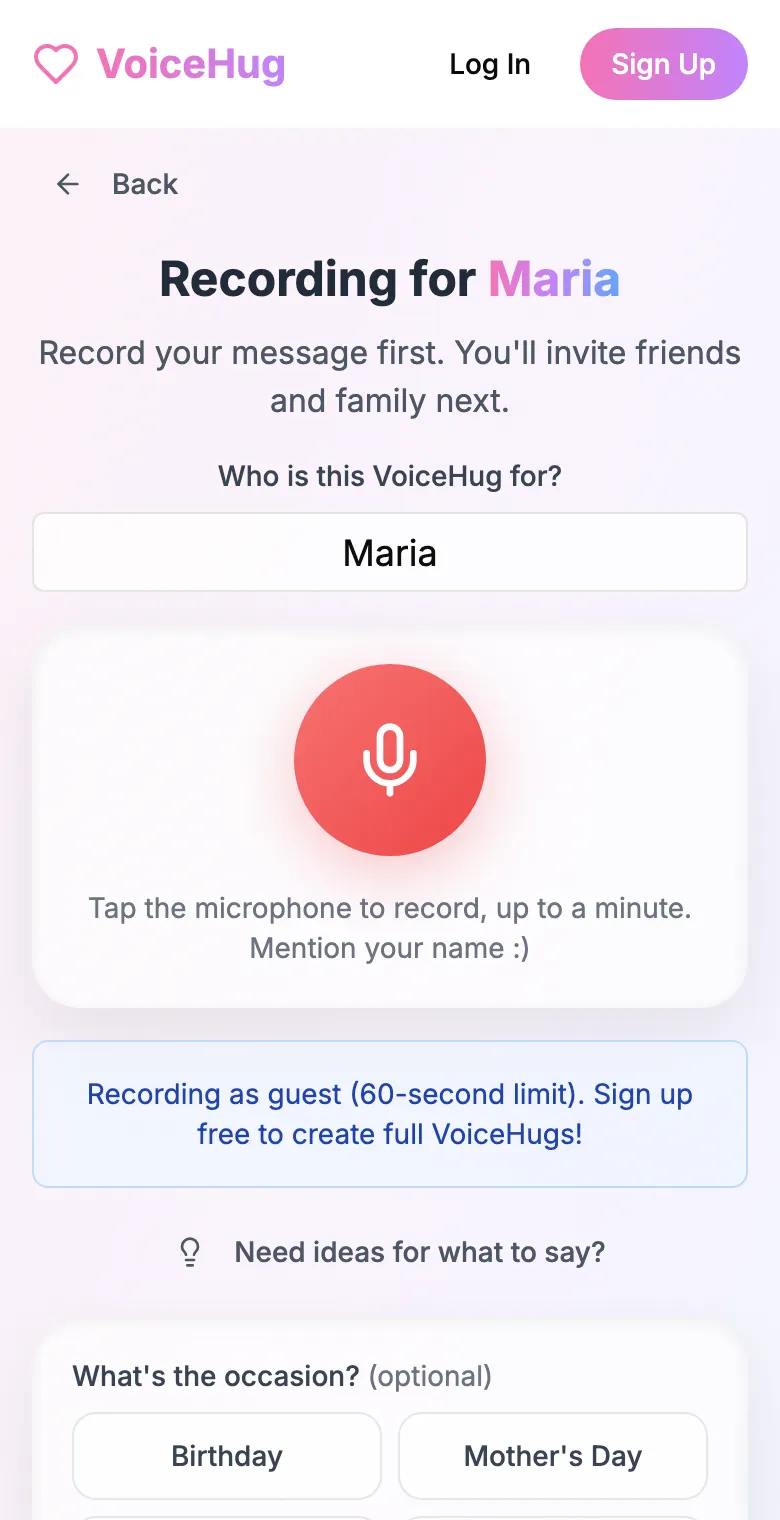
1. Record your own message
Say who it is for and record first, so everyone hears how it sounds.
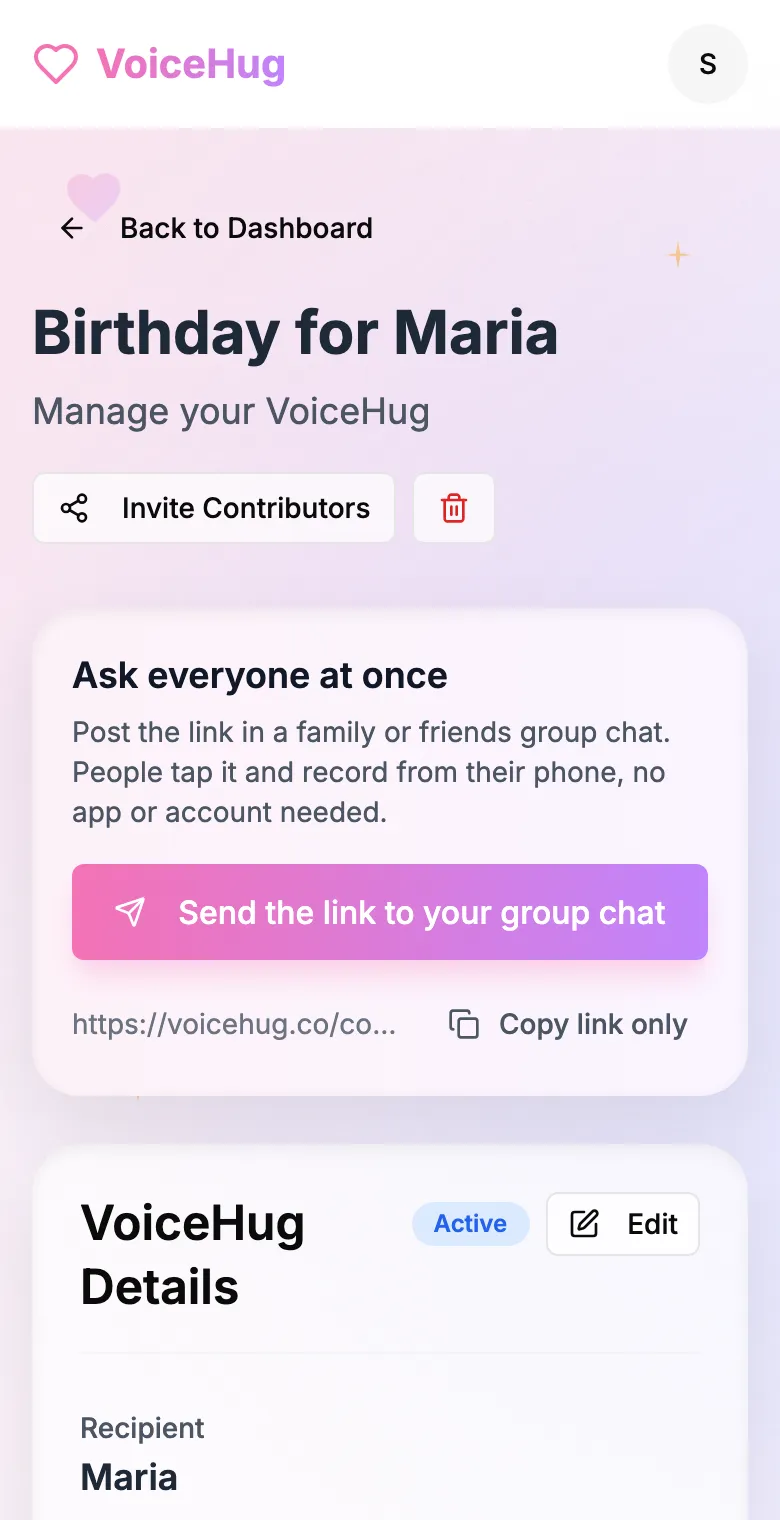
2. Send one link to the group
Post it in the family or friends group chat, or send the WhatsApp invite. You see who has recorded and can remind anyone invited by email.
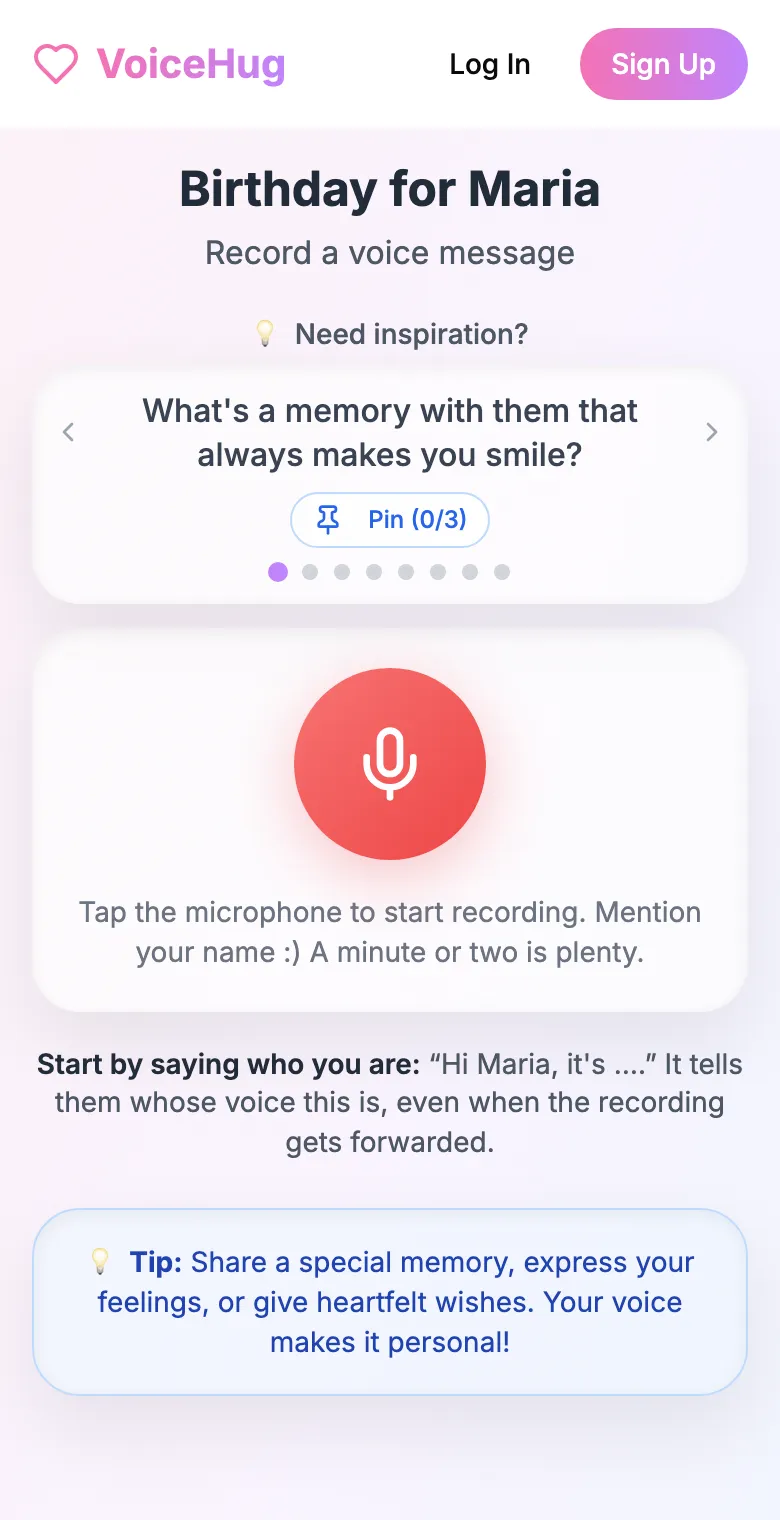
3. Each person records on their phone
They open the link and tap the microphone, with prompts if they need ideas. No app, no account. They can also send a WhatsApp voice note.
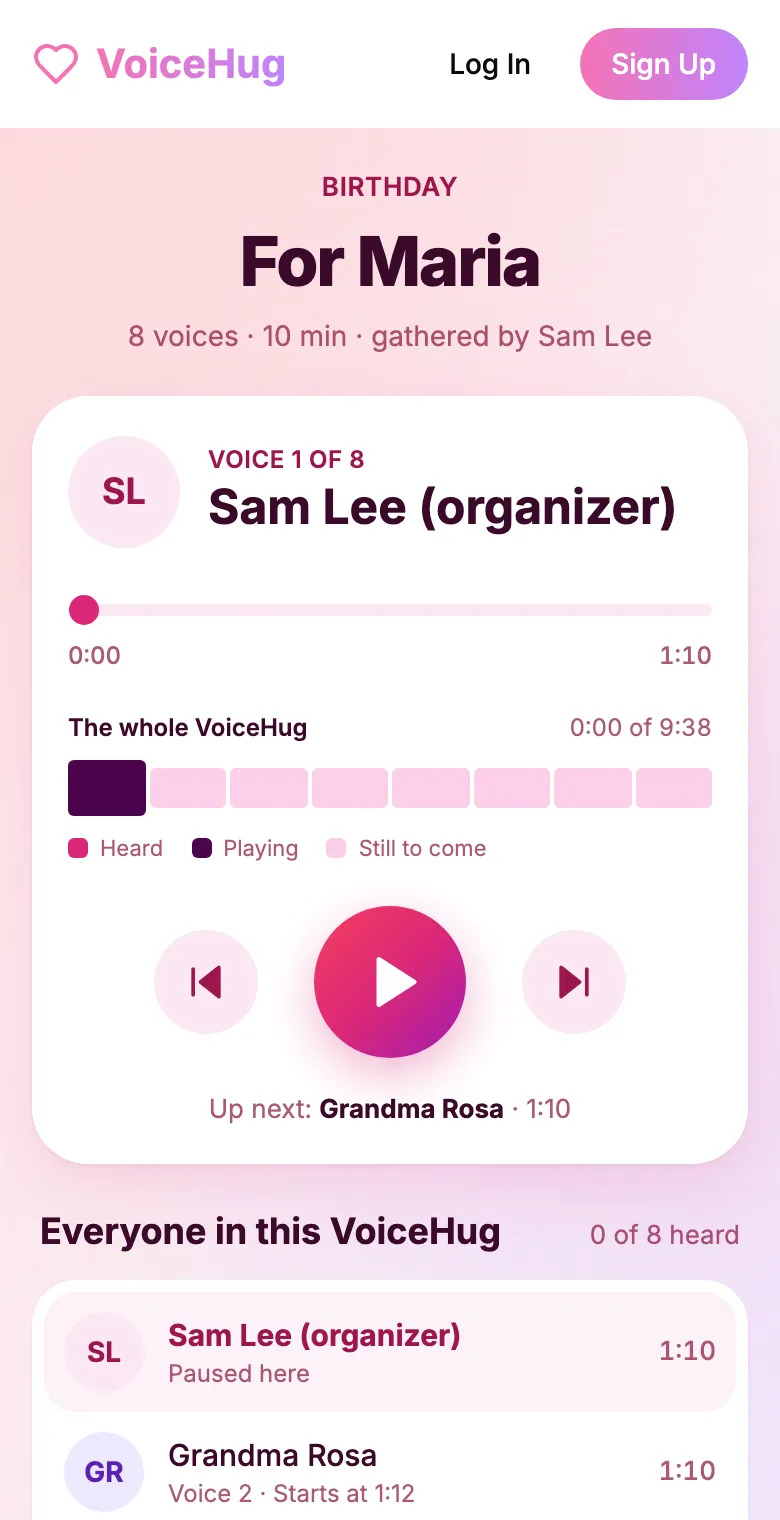
4. They get one recording
VoiceHug levels every voice, puts a short pause between them and makes one MP3 with a chapter for each person, plus a gift page to send.
Free for you and up to 5 others. $9.99 once for a larger group.
Questions
- How do you include guests who can't attend a wedding?
- Ask them for a short voice or video message before the day and play a few during the reception. Voice is easier to collect: people record in a minute on their phone.
- How much does it cost?
- Free for you plus up to 5 others (6 people). For a larger group it is a one-time $9.99, with no limit on how many people record. Contributors never pay.