Guide · updated 2026-10-23
How to combine voice recordings on Android
You have several voice recordings on an Android phone, your own or ones people sent you, and you want them as one file. Samsung Voice Recorder and Google's Recorder on Pixel phones record and trim, but neither joins separate recordings. Here is how to get the files out and combine them.
Short version: Share each recording from the recorder app (press and hold it, then Share) to Google Drive or a computer, or copy the Samsung recordings folder over USB. Then join them in Audacity or with ffmpeg and export one MP3.
Samsung Voice Recorder
Open Voice Recorder, press and hold a recording, select any others you want, then tap Share. Send them to Google Drive, Gmail or Quick Share.
Or open My Files > Internal storage > Recordings > Voice Recorder. The recordings are files there, usually .m4a, and you can copy the whole folder to a computer over USB.
Recorder on Pixel phones
Pixel Recorder files often do not show up when the phone is connected to a computer by USB, even though they play in the app. Use Share instead.
Open Recorder, open a recording and tap Share, then choose Audio. You can also press and hold a recording in the list to share it.
Send it to Google Drive or Gmail. Audio arrives as an .m4a file.
WhatsApp voice notes and other recorder apps
Other phone makers' recorder apps and third-party apps save to their own folders and formats (.m4a, .3gp, .ogg or .wav). WhatsApp voice notes are .opus files; see how to save and merge WhatsApp voice notes. Mixed formats are fine for Audacity and ffmpeg.
Combine them on a computer
Full steps, pauses between voices and a single ffmpeg command for many files are in our guide to combining voice messages into one file.
Put all the files in one folder and rename them 01, 02, 03… in the order you want them to play.
Open Audacity (free) and choose File > Import > Audio, selecting all the files. Each opens as its own track.
Select all, then Tracks > Align Tracks > Align End to End, so each recording starts where the one before ends.
Level each track with Effect > Volume and Compression > Loudness Normalization, using the same target for each.
Choose File > Export Audio and save as MP3.
Without a computer
Audio editor apps on Google Play can join files, but most show ads or charge to export, and you still have to level the volume by ear. Online joiners open in Chrome on the phone and take files from the Files app; they upload your recordings to their server.
What usually goes wrong
- A recording is missing from the USB folder. Pixel Recorder keeps files where a computer cannot always see them; share them from the app.
- One voice is much louder than the others. Level each recording separately before you join them.
- The recordings play in the wrong order. Number the file names before you import them.
- Samsung recordings were set to save to the SD card. Look under SD card in My Files instead of Internal storage.
The same job with VoiceHug
If the recordings are messages from different people, VoiceHug saves you collecting files at all. Everyone records from one link in their phone's browser, Android or iPhone, and you get one levelled MP3 with a chapter for each person.
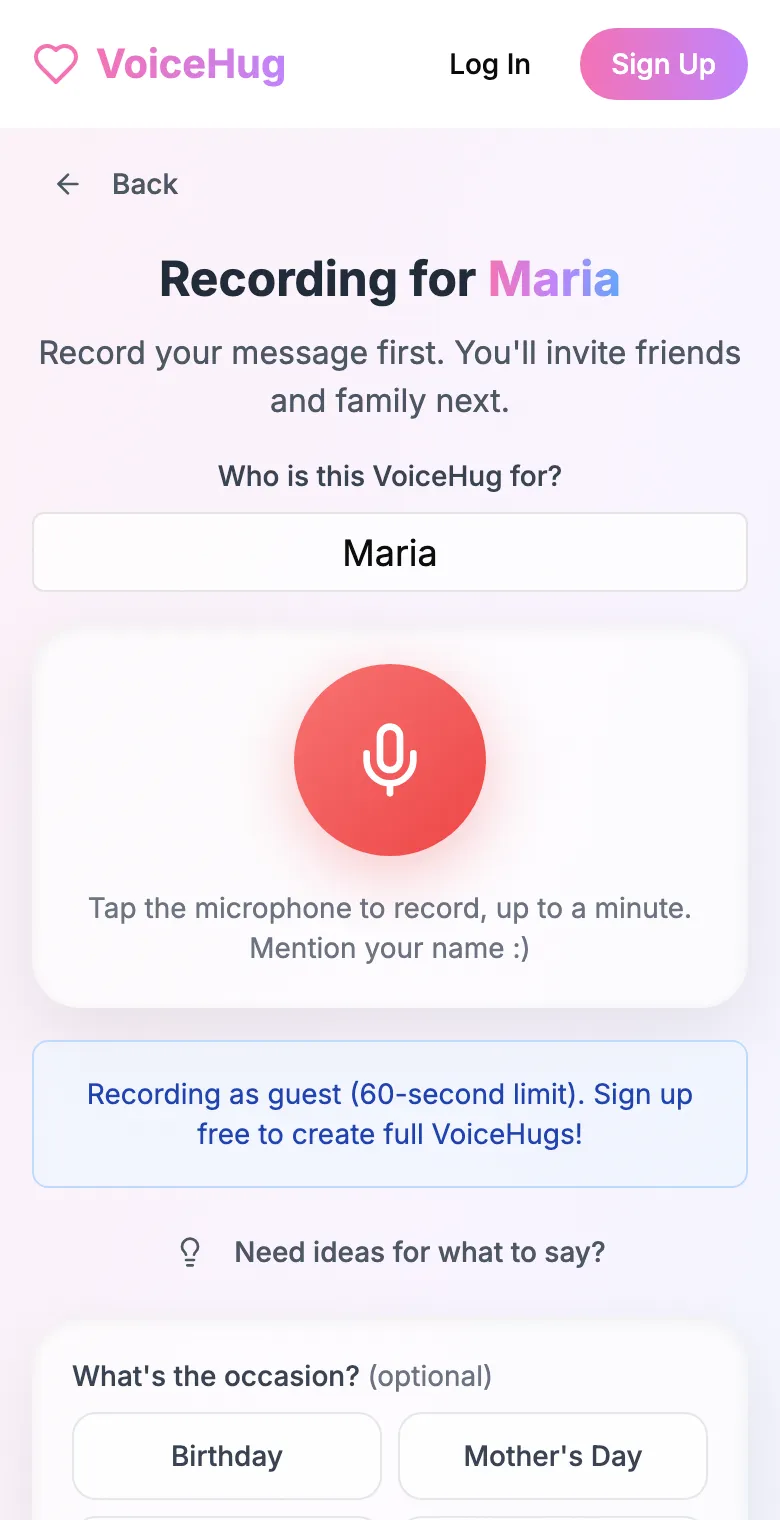
1. Record your own message
Say who it is for and record first, so everyone hears how it sounds.
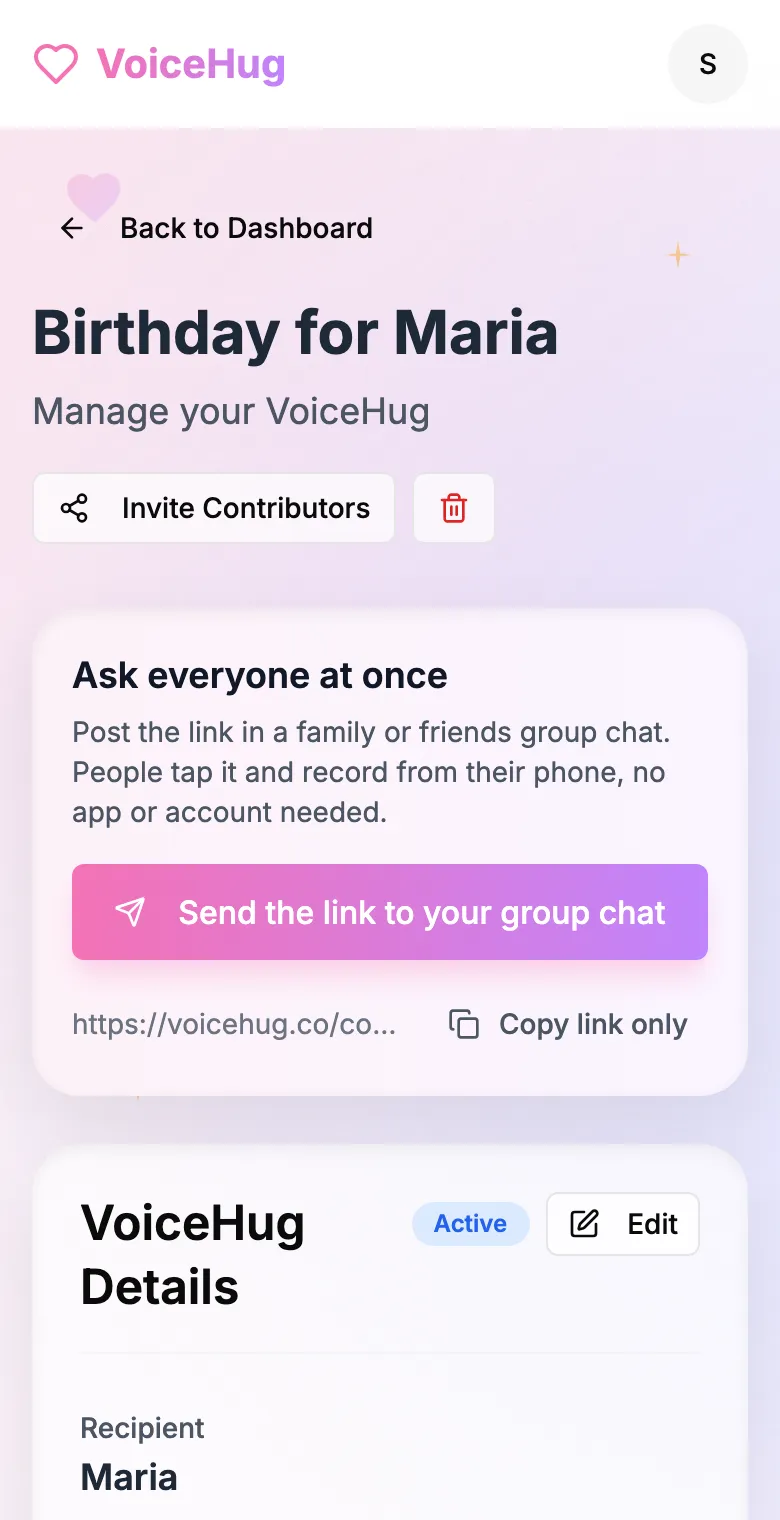
2. Send one link to the group
Post it in the family or friends group chat, or send the WhatsApp invite. You see who has recorded and can remind anyone invited by email.
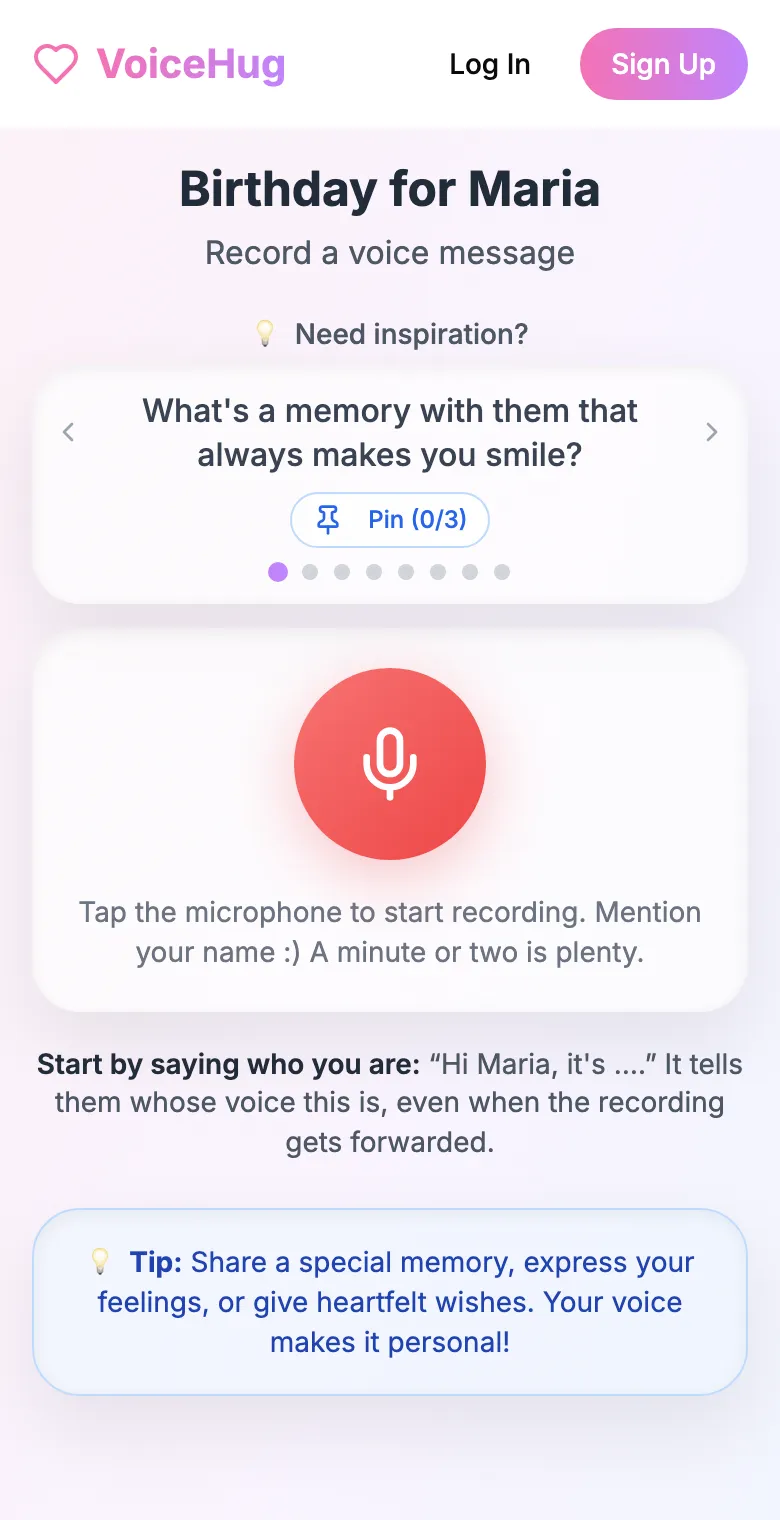
3. Each person records on their phone
They open the link and tap the microphone, with prompts if they need ideas. No app, no account. They can also send a WhatsApp voice note.
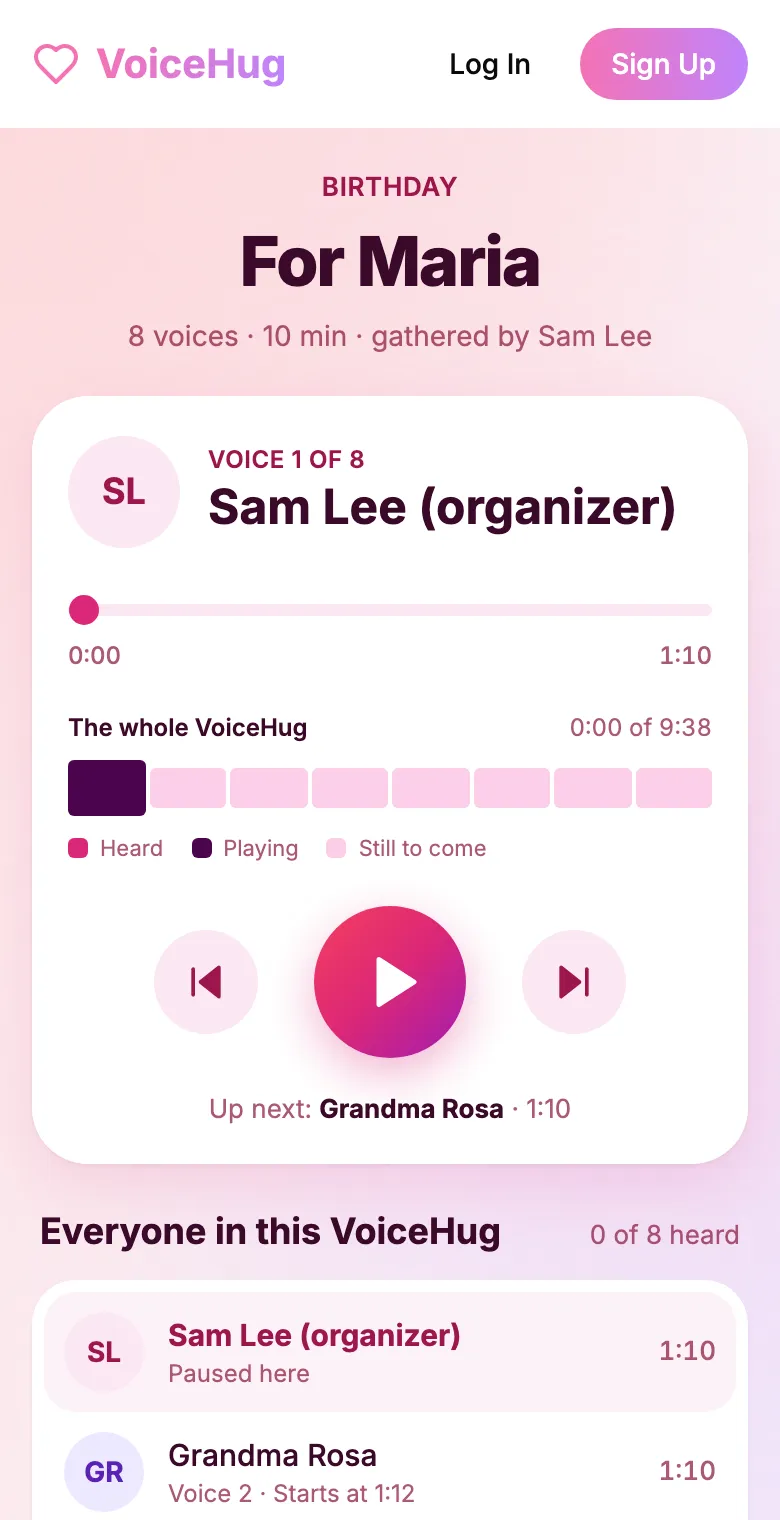
4. They get one recording
VoiceHug levels every voice, puts a short pause between them and makes one MP3 with a chapter for each person, plus a gift page to send.
Free for you and up to 5 others. $9.99 once for a larger group.
Questions
- Can Samsung Voice Recorder merge recordings?
- No. It can trim a recording, but it cannot join two separate recordings. Share them to a computer and join them in Audacity.
- Where does Samsung Voice Recorder save files?
- In My Files > Internal storage > Recordings > Voice Recorder, or on the SD card if you set it to save there.
- What format does Pixel Recorder share audio in?
- .m4a, which Audacity, GarageBand, VLC and ffmpeg all open.
- How much does VoiceHug cost?
- Free for the organizer plus up to 5 contributors (6 people). For larger groups it is a one-time $9.99 with no limit on contributors. Contributors never pay.