Guide · updated 2026-10-23
How to convert WhatsApp voice notes to MP3
You saved a WhatsApp voice note and it will not play in Music, Windows Media Player or GarageBand, or a site will not accept it. The file is fine: it is Opus audio, a format WhatsApp uses because it keeps speech clear in small files. Converting it to MP3 makes it play almost anywhere.
Short version: Open the .opus file in VLC (free), choose Media > Convert/Save, pick the Audio - MP3 profile and save it with a .mp3 name. For many files, one ffmpeg command converts a whole folder. Renaming .opus to .mp3 does not convert anything.
First, get the voice note off your phone
On iPhone, press and hold the voice note, tap Forward, then the share icon, then Save to Files or AirDrop it to a Mac. On Android the notes are already files, in Internal storage > Android > media > com.whatsapp > WhatsApp > Media > WhatsApp Voice Notes. To save every note from a chat at once, export the chat with media: see how to save and merge WhatsApp voice notes.
VLC (Windows, Mac, Linux; free)
On a Mac the menu is File > Convert / Stream: drag the .opus file into the window, choose Audio - MP3, click Save as File, then Browse, and save. The steps below are for Windows and Linux.
Install VLC media player from videolan.org.
Choose Media > Convert/Save.
Click Add, select the .opus file, then click Convert/Save.
In Profile, choose Audio - MP3.
Click Browse, choose a folder and type a file name ending in .mp3.
Click Start. The progress bar shows the conversion; the MP3 is in the folder you chose.
Audacity (free; also lets you trim)
Open the .opus file with File > Open. Recent versions of Audacity open Opus directly; older ones need the FFmpeg library for Audacity.
Cut any silence or chatter at the start and end if you want.
Choose File > Export Audio, set the format to MP3 and export.
ffmpeg on Mac or Linux (best for many files)
The first line converts one file. The second converts every .opus file in the current folder and keeps the names. 128k is plenty for speech; the voice note itself is lower quality than that, and converting cannot add detail.
ffmpeg -i PTT-20261020-WA0001.opus -b:a 128k voice-note.mp3

for f in *.opus; do ffmpeg -i "$f" -b:a 128k "${f%.opus}.mp3"; done
ffmpeg on Windows
Install ffmpeg (for example with winget install Gyan.FFmpeg), open Command Prompt in the folder with the notes and run this line. It converts every .opus file there to an MP3 with the same name.
for %f in (*.opus) do ffmpeg -i "%f" -b:a 128k "%~nf.mp3"Free online converters and phone apps
Online converters work for a few files, but you upload private voice messages to someone else's server. Neither iPhone nor Android converts .opus to MP3 by itself, so on a phone you need a converter app. If you only want to play the note, VLC for iPhone and Android plays .opus without converting.
What usually goes wrong
- Renaming the file from .opus to .mp3. The name changes but the audio is still Opus, and players that refuse Opus still refuse it.
- VLC saves an empty or 0-second file. Check the file name ends in .mp3 and the Audio - MP3 profile is selected, or update VLC.
- Notes from a chat export come out of order. Their names include the date; sort by name before you convert or combine them.
- You wanted one recording, not twenty MP3s. Convert, then [combine them into one file](/guides/combine-voice-messages-into-one-file), levelling each voice.
The same job with VoiceHug
If you are converting voice notes to join them into a gift, VoiceHug skips the converting. People send their voice note to VoiceHug's WhatsApp number with the VoiceHug's code, or record from a link, and you get one levelled MP3 with a chapter for each person.
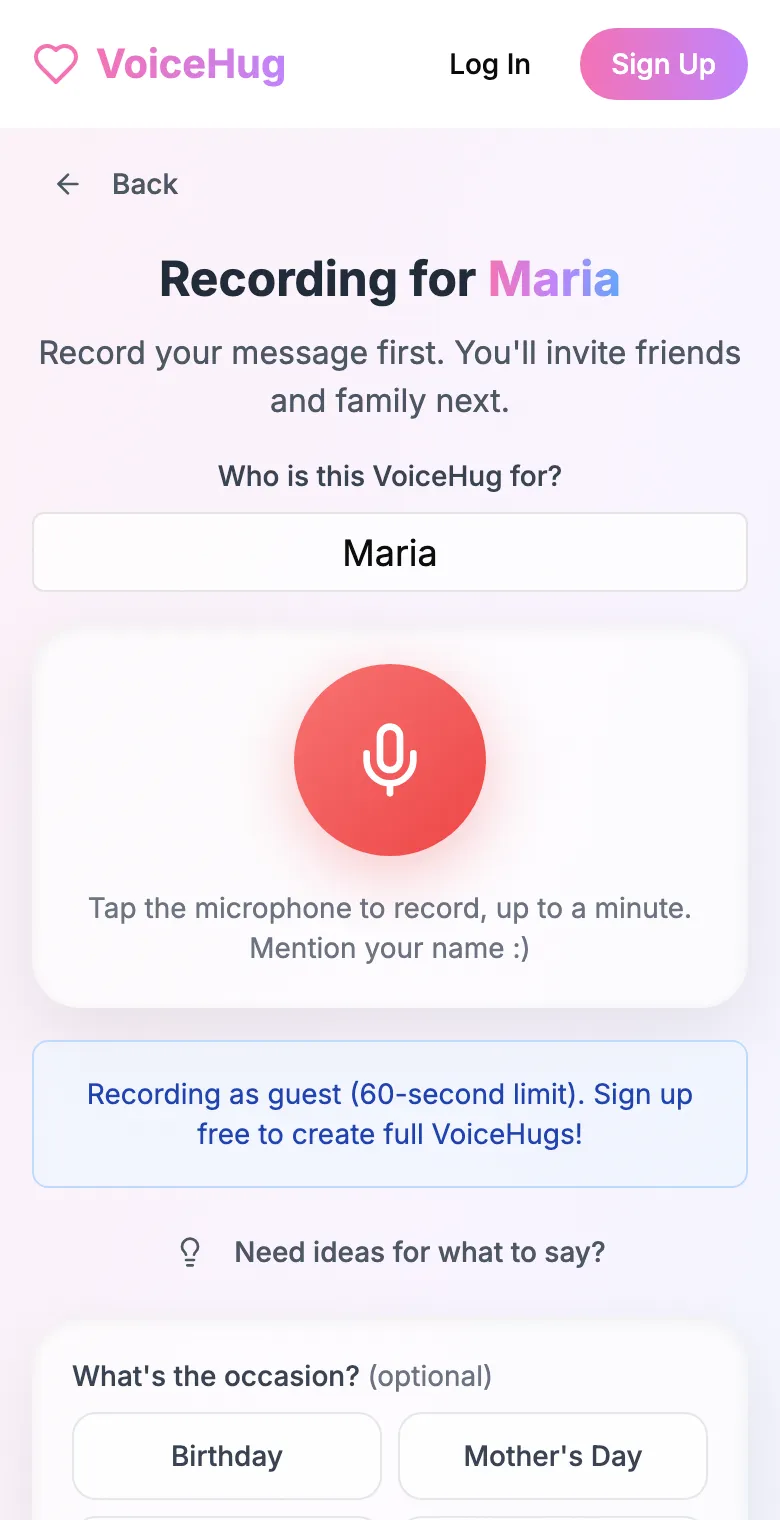
1. Record your own message
Say who it is for and record first, so everyone hears how it sounds.
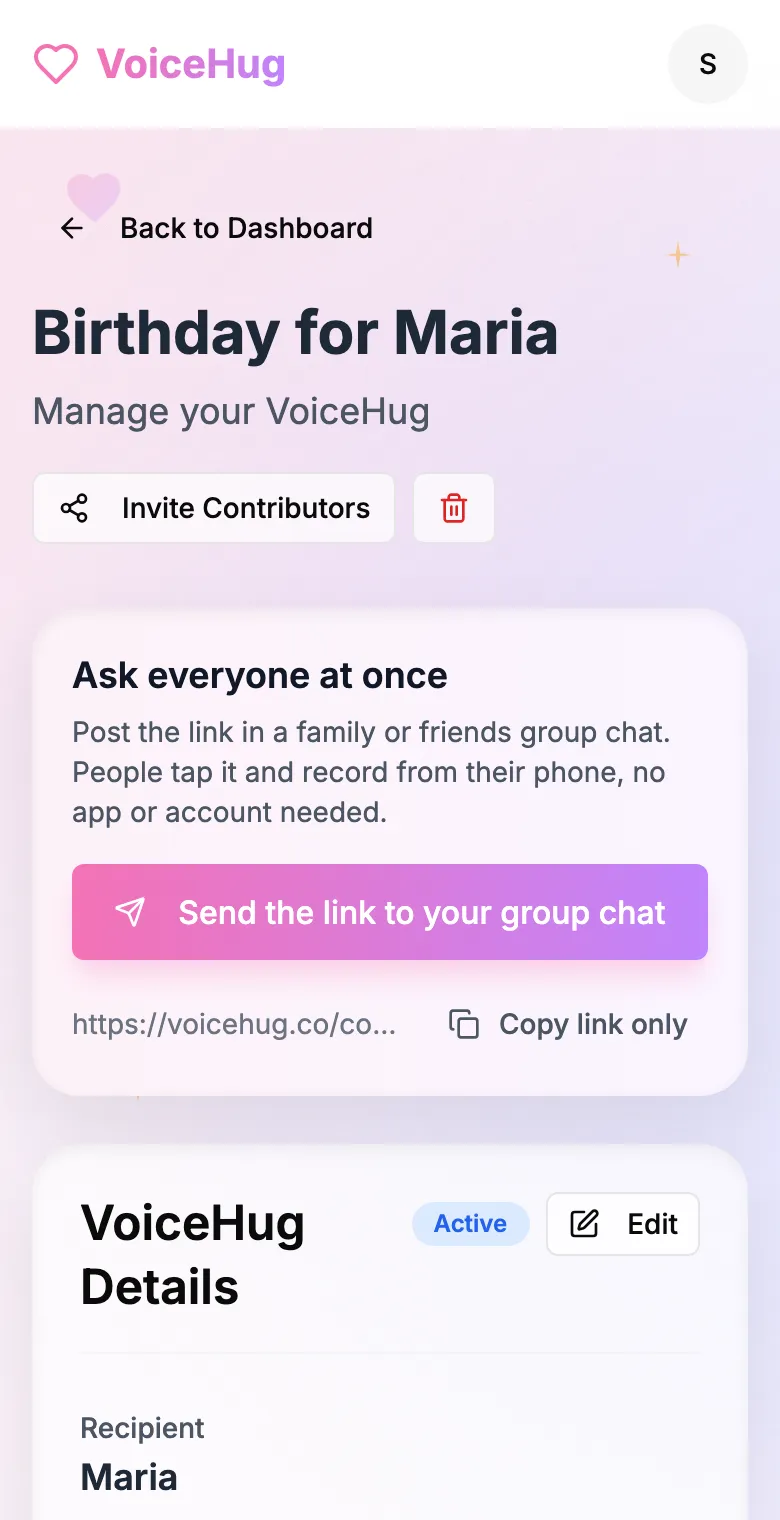
2. Send one link to the group
Post it in the family or friends group chat, or send the WhatsApp invite. You see who has recorded and can remind anyone invited by email.
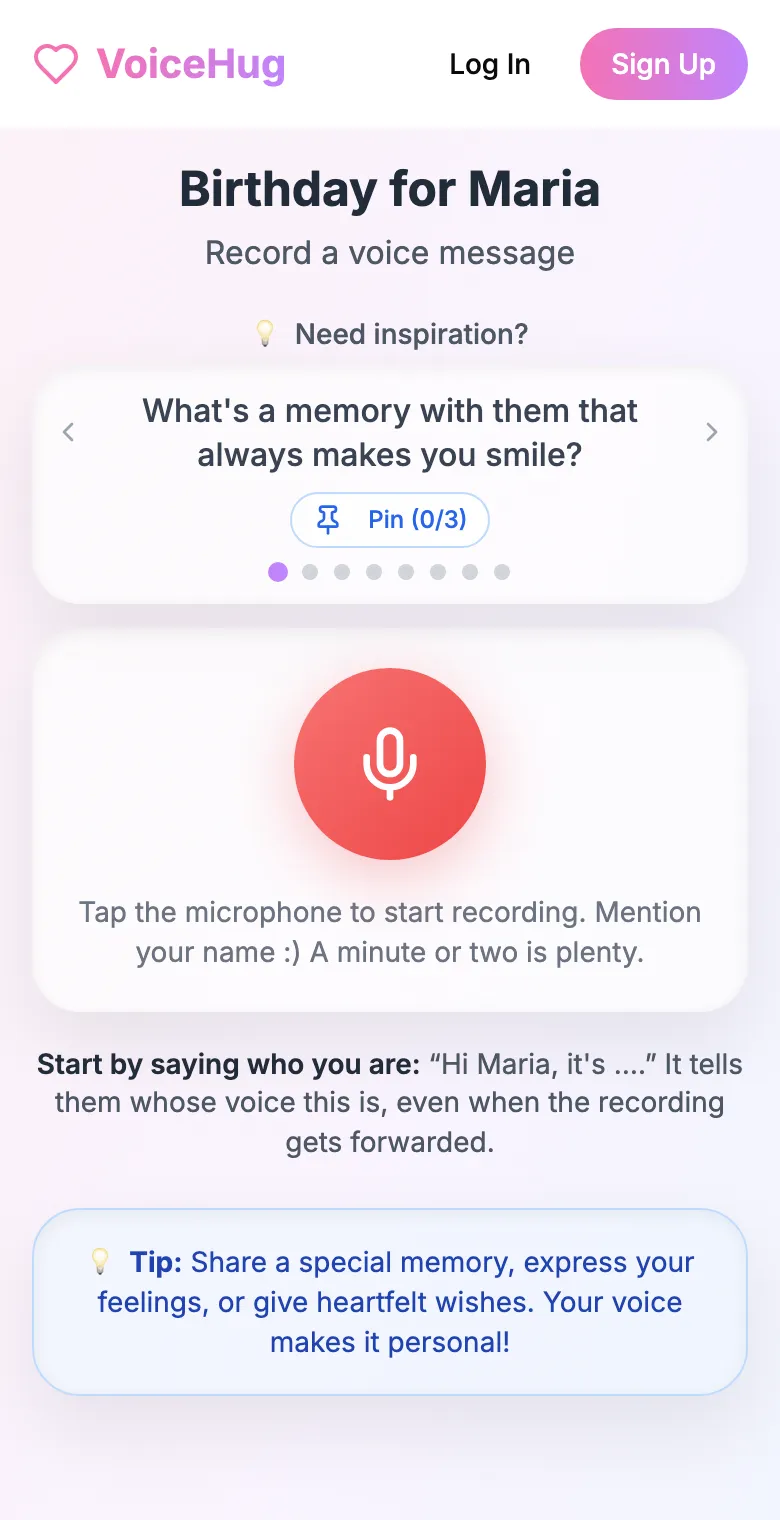
3. Each person records on their phone
They open the link and tap the microphone, with prompts if they need ideas. No app, no account. They can also send a WhatsApp voice note.
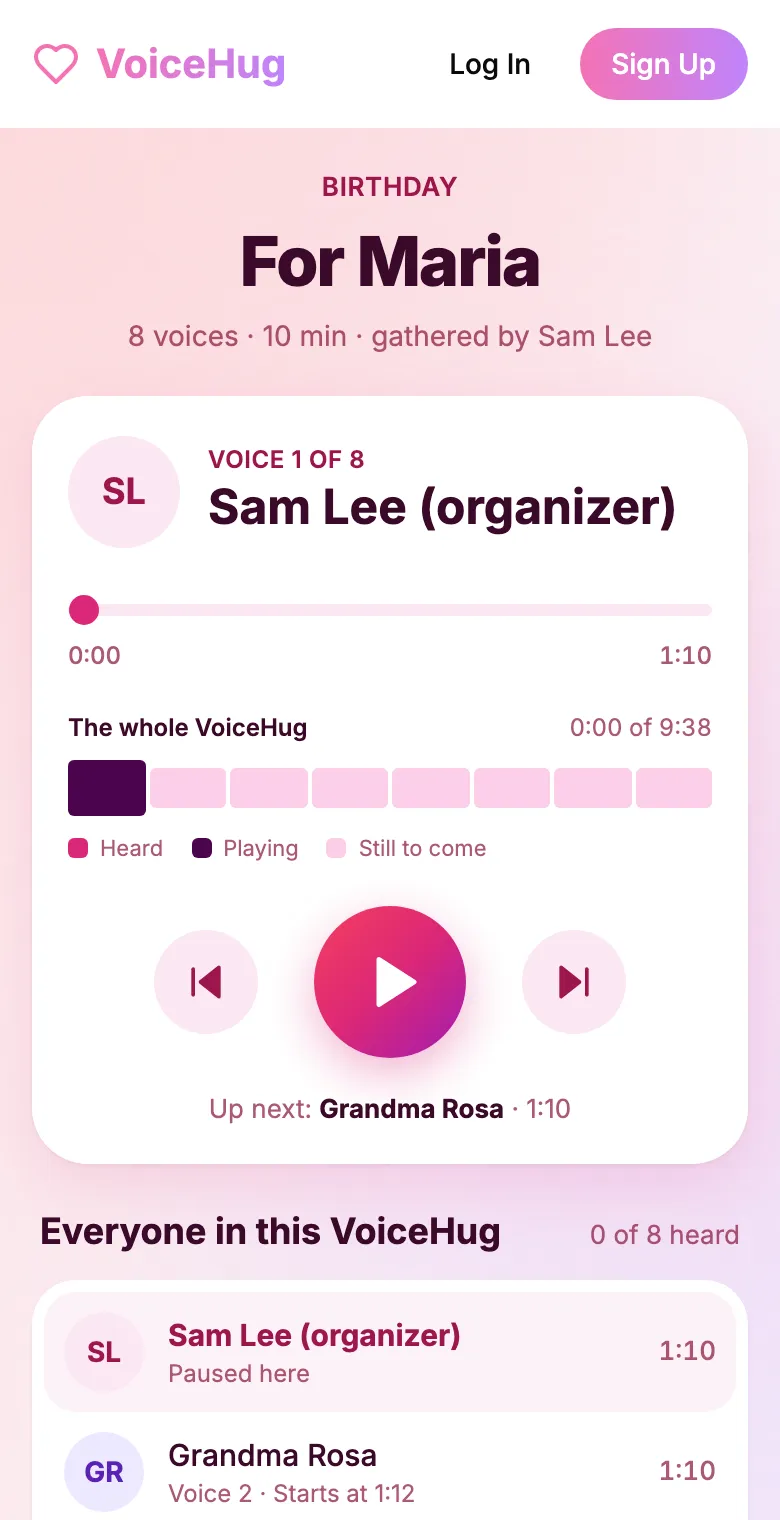
4. They get one recording
VoiceHug levels every voice, puts a short pause between them and makes one MP3 with a chapter for each person, plus a gift page to send.
Free for you and up to 5 others. $9.99 once for a larger group.
Questions
- Why are WhatsApp voice notes .opus files?
- WhatsApp records voice notes with the Opus codec, which keeps speech clear at a low bitrate, so notes stay small. The file is an Ogg container with a .opus extension.
- Can I just rename .opus to .mp3?
- No. Renaming does not change the audio inside. Convert it with VLC, Audacity or ffmpeg.
- Can I convert a WhatsApp voice note to MP3 on my iPhone?
- Not with the built-in apps. Save the note to Files and use a converter app or website, or AirDrop it to a Mac and use VLC or ffmpeg there.
- What bitrate should I use?
- 96k to 128k is plenty for a voice. A higher bitrate makes a bigger file without making the voice note sound better.
- How much does VoiceHug cost?
- Free for the organizer plus up to 5 contributors (6 people). For larger groups it is a one-time $9.99 with no limit on contributors. Contributors never pay.