Guide · updated 2026-11-10
How to make a group gift for a big group (30 people or more)
A card or video that works for ten people gets harder at thirty or fifty. The tool rarely stops you; the work does: more people to chase, more files to handle, and a finished gift that is long to sit through. Here is what changes, and how to run a group gift for a big group.
Short version: For 30 or more people, use a service where everyone joins from one link with no app or account, and that has no limit on contributors. VoiceHug does this: one link in your group chats, a recording from each person on their phone, one MP3 with a chapter for each voice, and a one-time price however big the group.
Timeline
2–3 weeks before
Record your own message. Post the link in every group chat the people are in, with a deadline and a message length.
One week in
Remind each chat. Ask two or three well-connected people to message others directly.
3 days before the deadline
Last reminder in each chat. Email reminders to anyone you invited by email.
Deadline
Leave a day or two for late messages, then make the final recording.
Gift day
Send the gift page link. Tell them the recording has a chapter for each person, so they can listen in parts.
Message to post in each group chat
We're making a recording of messages for Dad's 70th, to give him on 14 December. Could you record about a minute by Friday 4 December? Open the link, tap record, and start with your name and how you know him, then a memory or what you wish him. No app or account needed.
Change the names and dates, then paste it into your group chat or email.
Where group gifts get hard past about 20 people
Four things change with size. You chase more people, so the reminders matter more. People get stuck at a sign-up or app step, and each one you lose is a message missing. The finished gift gets long, and the recipient needs a way to listen in parts. And the price can rise with the size of the group or the length of the result.
Some products also cap the number of contributions by plan. When we checked on 11 November 2026, Kudoboard's $6.99 board allowed 20 posts and its $9.99 board 100, and Starcard took up to 25 voices. Others list no limit but price by length: VidDay was $5 for a video up to 3 minutes and $75 for 30 to 150 minutes. Check the plan against your group size before you invite anyone. The comparison pages list each product's limits and the date checked.
One link in the group chats
A big group is usually several groups: family on one side, work friends, a club, the neighbours. Post the same link in each of their chats. Nobody has to be added to anything, and people you cannot reach through a chat can get it by email or message.
Contributors do not need an app or an account. They open the link and record in the browser on a phone or laptop, or send a WhatsApp voice note to the VoiceHug number if you share that invite. With more people, the fewer steps there are before recording, the more of the group records.
How long each message should be
VoiceHug allows up to 5 minutes per person (90 seconds for a wedding). For a big group, ask for about a minute. The length of the gift is the number of people times the length of each message: 40 people at one minute each is about 40 minutes, and at two minutes about 80.
Ask people to start with their name and how they know the person, so the recipient knows who is speaking even if a chapter has no name.
Reminders and seeing who has recorded
You see who has recorded on your VoiceHug page. Anyone you invited by email can be sent a reminder from your contributor list. People who joined from a link you posted in a chat are reminded in the chat, so write the deadline in the message and post it again partway through and the day before.
Ask two or three people who know different parts of the group to message them directly. A reminder from a friend gets more replies than one from the organizer.
Making the recording when everyone is in
When the deadline passes, make the final recording from your VoiceHug page. VoiceHug evens out the volume of each voice, leaves a short pause between people and makes one MP3. Listen to it before you send it. If someone sends a message late, you can make a new recording; the earlier one is replaced.
The first 6 people are free. For a larger group you pay a one-time $9.99 when you make the recording, however many people took part. Contributors never pay.
Chapters, so the recipient can find each voice
The MP3 has a chapter for each person, titled with the name on their message. The gift page shows the list of voices with a search box, and buttons for the previous and next voice, so the recipient can jump to their cousin's message, or stop and come back to the next one tomorrow. It remembers which voices they have heard on that device.
A message with no name, or an anonymous one, is titled "Voice 1", "Voice 2" and so on. You can name it on your VoiceHug page; chapter titles are fixed when the recording is made, so a rename needs a new recording.
What usually goes wrong
- You post the link in one chat and think everyone has it. Post it in each group, and send it separately to key people.
- Messages run long. Say "about a minute" in the invite.
- The deadline is the day before the gift. Leave a day or two for late messages.
- Nobody says who they are. Put "start with your name" in the invite.
- The recipient is in a chat with the group. Keep them out of every chat where you post the link.
The same job with VoiceHug
VoiceHug has no limit on how many people can record. One link in each chat, no app or account for contributors, and one MP3 with a chapter for each voice.
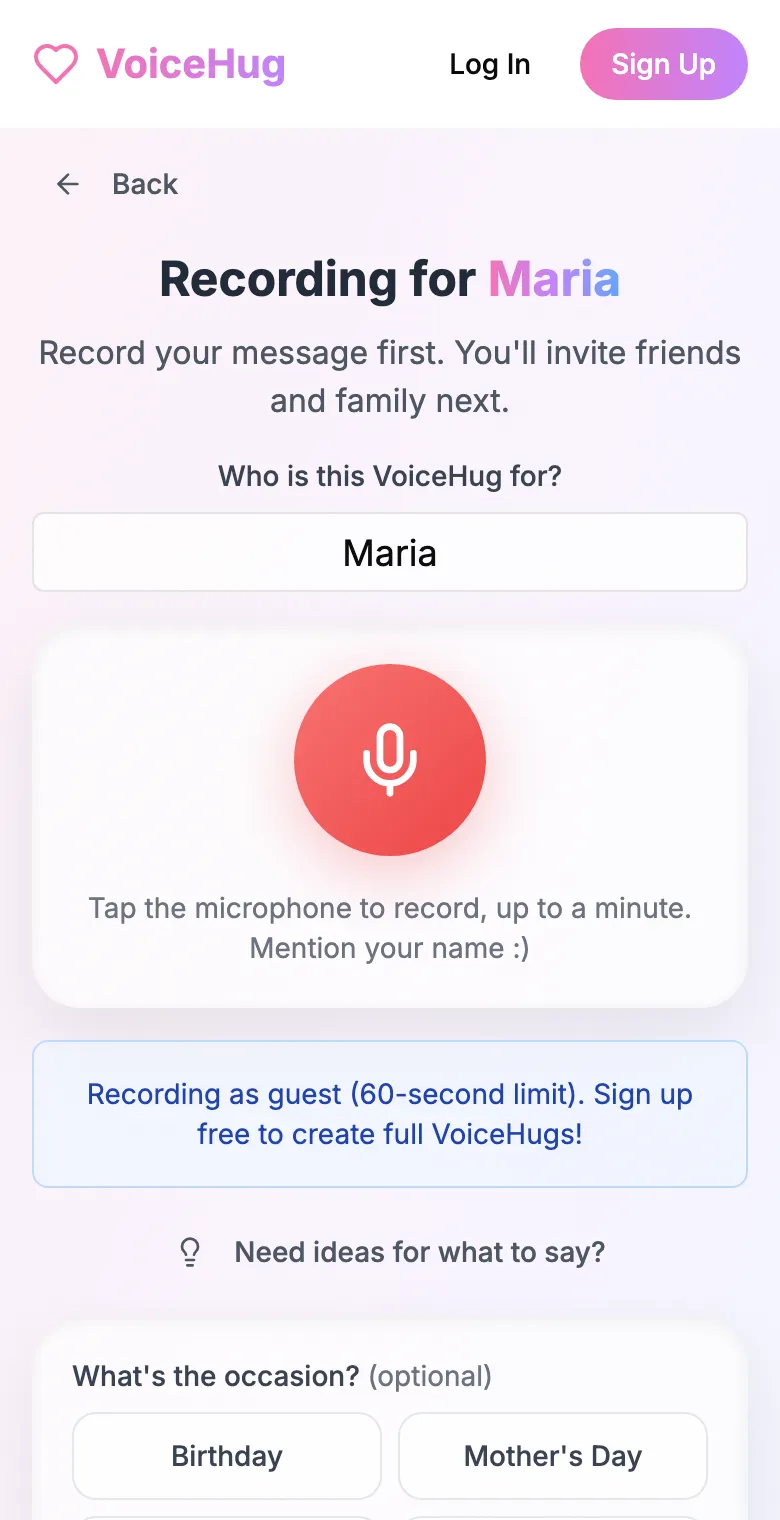
1. Record your own message
Say who it is for and record first, so everyone hears how it sounds.
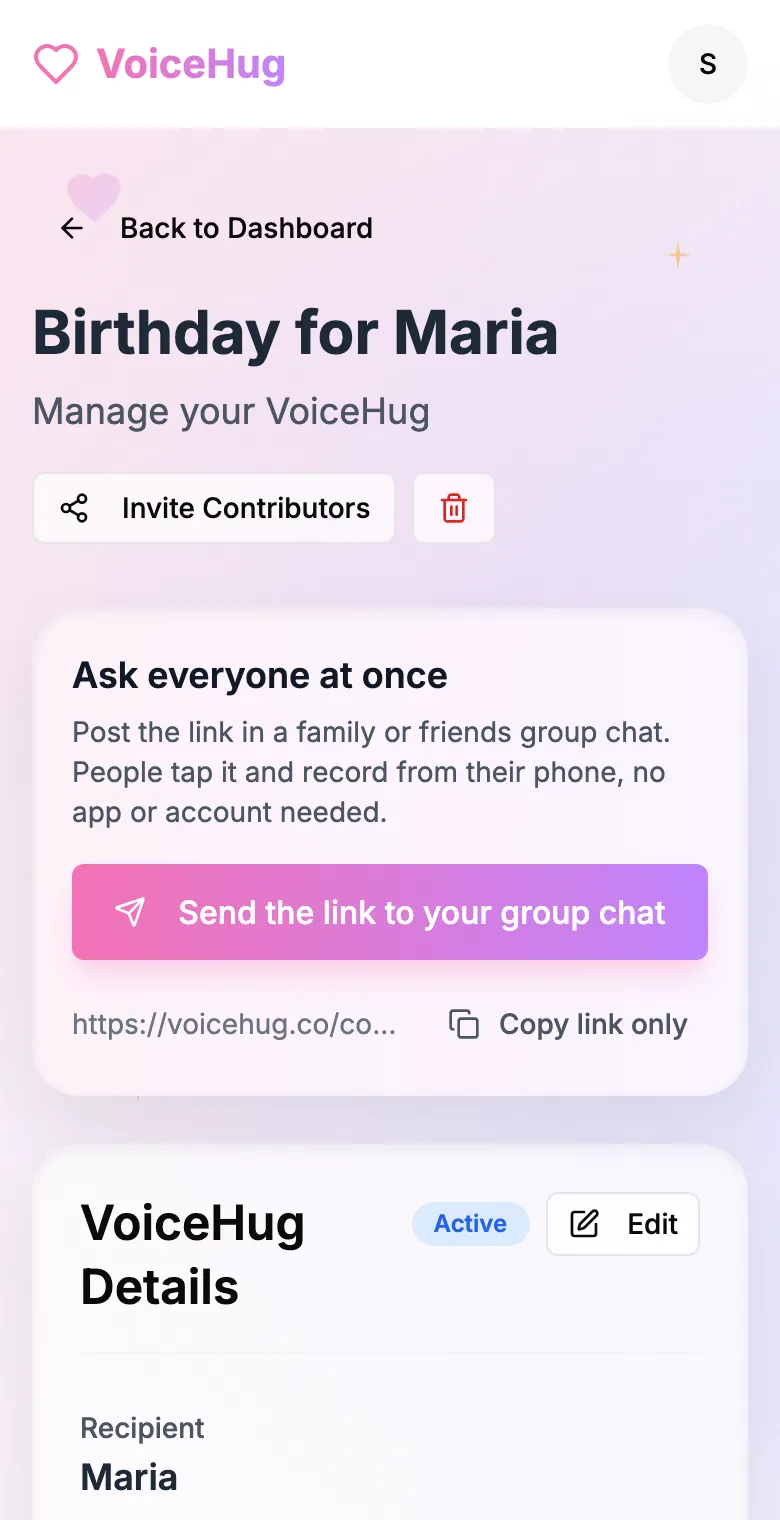
2. Send one link to the group
Post it in the family or friends group chat, or send the WhatsApp invite. You see who has recorded and can remind anyone invited by email.
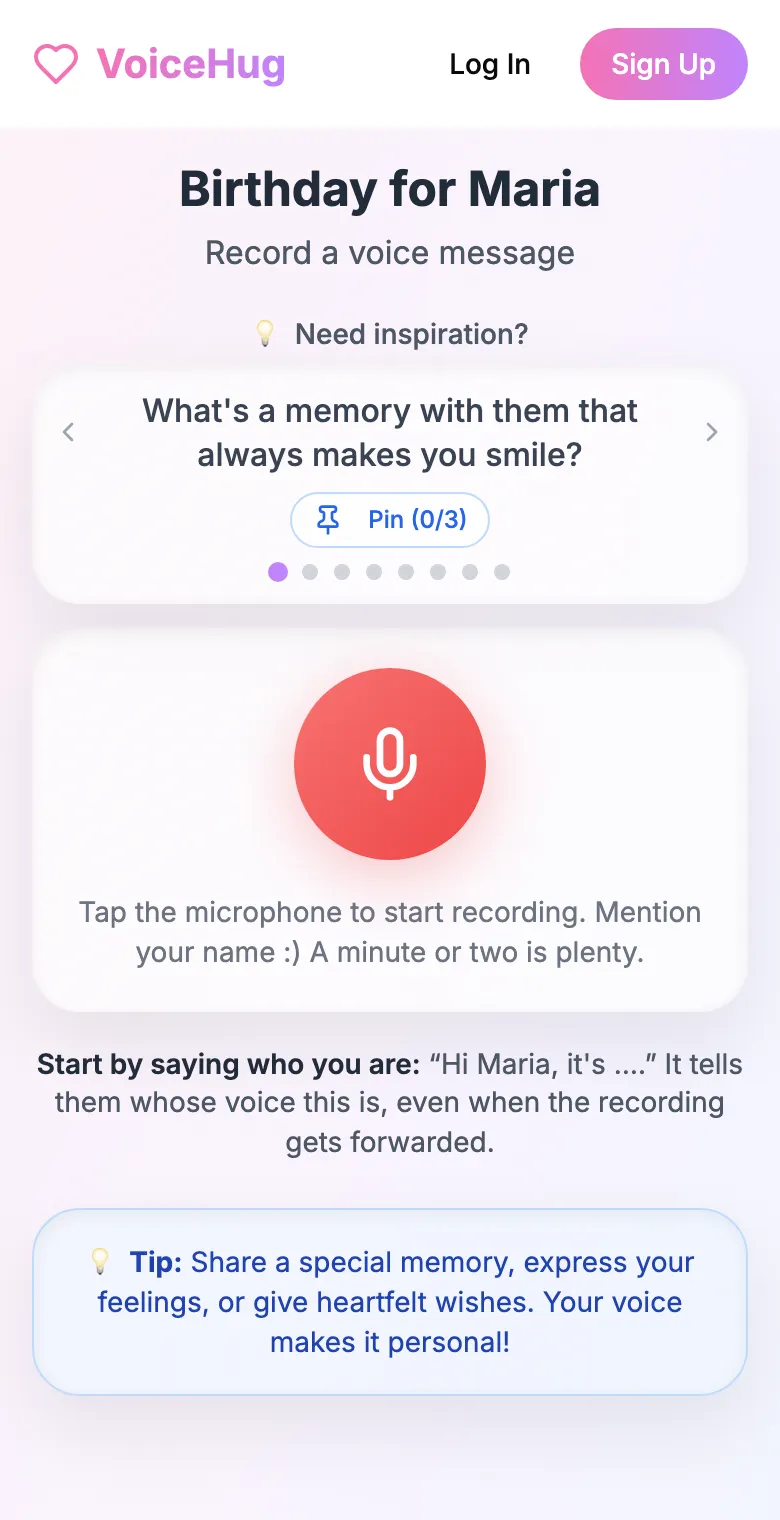
3. Each person records on their phone
They open the link and tap the microphone, with prompts if they need ideas. No app, no account. They can also send a WhatsApp voice note.
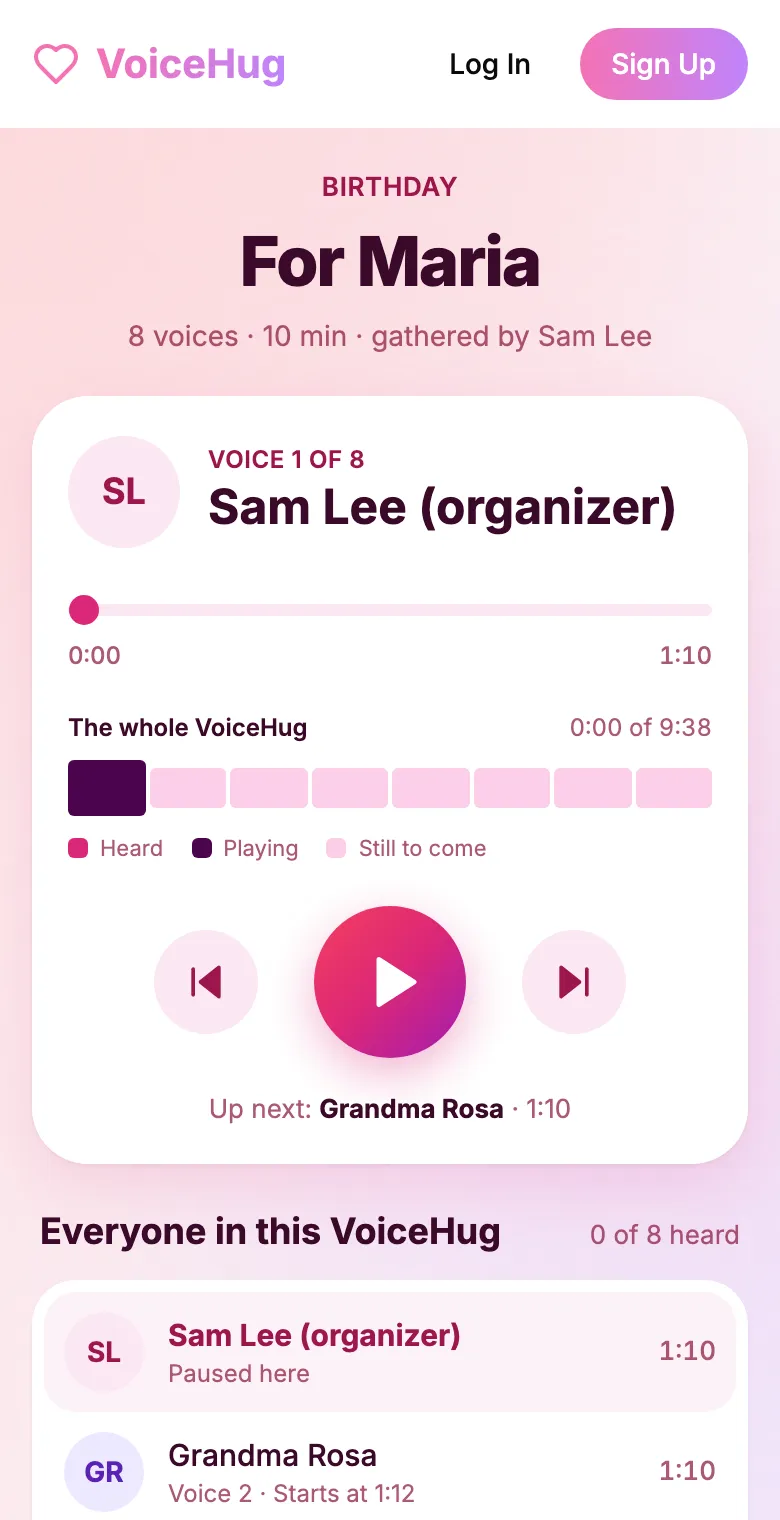
4. They get one recording
VoiceHug levels every voice, puts a short pause between them and makes one MP3 with a chapter for each person, plus a gift page to send.
Free for you and up to 5 others. $9.99 once for a larger group ($40 for a wedding).
Questions
- Which group gifting services work well for large groups?
- Look for no limit on contributors, a link people can use without an app or an account, and a price that does not rise with the group. VoiceHug has no contributor limit and is a one-time $9.99 for any group larger than 6. Some other products limit contributions by plan or price by length, so check before you start.
- How many people can record in one VoiceHug?
- There is no limit on the number of contributors.
- How do I get 50 people to record?
- Post one link in each group chat with a deadline and a message length, remind people partway through and the day before, and ask a few people to message others directly. Contributors record from the link without an app or an account.
- How long will the recording be?
- It is the number of people times the length of each message. Each person can record up to 5 minutes. If you ask for about a minute, 40 people give about 40 minutes.
- Can the recipient find one person's message?
- Yes. The MP3 has a chapter for each voice, and the gift page has a searchable list of voices with previous and next buttons.
- How much does it cost?
- Free for you plus up to 5 others (6 people). For a larger group it is a one-time $9.99, with no limit on how many people record. A wedding is $40. Contributors never pay.