Guide · updated 2026-11-10
How to run a group gift when some people are not good with technology
In most groups, a few people never record: the grandparent who only uses WhatsApp, the uncle with an old phone, the neighbour who does not trust links. If the gift is meant to include everyone, those are often the voices the recipient most wants. Here is how to make it easy for them, and what you can do on their behalf.
Short version: Choose a service with nothing to install or sign up for. With VoiceHug, contributors open one link, tap the microphone and record, or send a WhatsApp voice note. If someone still cannot manage, send them the WhatsApp link, or sit with them while they record from the link on their own phone.
Message to send to someone who finds apps hard
Hi Gran, we're making a recording of messages for Mum's birthday. The easiest way is on WhatsApp: tap this link, send the message that appears, then send a voice note the way you would to anyone, saying who you are and a memory of Mum, about a minute. Or tap the other link and record there, and I can sit with you. You don't need to install or sign up for anything.
Change the names and dates, then paste it into your group chat or email.
What the person recording has to do
The Allow question is the step people most often stop at. Tell them it is coming and what to tap, in the message that carries the link. The page shows prompts if they do not know what to say.
Open the link you sent. It opens in the phone's browser: no app to install and no account to make.
Tap the microphone button. The first time, the phone asks to use the microphone; they tap Allow.
Speak, then stop. They can listen back before they send it.
Send. The page tells them it has gone.
Let them send a WhatsApp voice note instead
If someone only uses WhatsApp, share the WhatsApp invite when your VoiceHug has one. They tap the link, which opens WhatsApp with the code already typed, send it, and then send a voice note as they would to anyone. VoiceHug adds it as their recording.
Nobody is taken to a website. For some people this is the only way it will happen.
What you can do for them
The same works for a relative in a hospital or a care home who has WhatsApp on their phone: send them the WhatsApp link and ask them to send a voice note. If you already have voice notes from people and started your VoiceHug on WhatsApp, forwarding them works too; see merging WhatsApp voice notes.
Send them the WhatsApp link from the invite, on its own, with one line: "Tap this, send the message that appears, then send me a voice note." The link opens WhatsApp with the code already typed.
Once they have sent the code and a voice note, VoiceHug adds it as their message.
If you would rather they use the browser link, sit with them and open it on their phone. Let them record on their own phone, one person per phone: the page remembers a message sent from that browser and offers to record a new one instead, which replaces the first.
Keep the invite short
One link, one line on what it is, one on what to do, and a deadline. Say "voice message" rather than "upload" or "submit". If you are posting in a family group, add a line: "If the link is hard, use the WhatsApp link instead." See what to say in a voice message for prompts to send with it.
On the recipient's side
The recipient gets a link to a gift page that plays in the browser: tap play. The recording has a chapter for each voice and previous and next buttons. If they would rather have a file, you can download the MP3 and send it, and it plays in any music or audio app.
If the recipient is not comfortable with links either, play it for them on your phone or a speaker, or send the MP3. Gifts for someone who cannot read cards covers that case.
What usually goes wrong
- Sending the link and hearing nothing. Ask the person directly, once, and offer the WhatsApp option.
- Several people recorded on one phone from one link. Use one phone per person, or WhatsApp voice notes.
- The microphone question frightens people. Warn them it will appear and tell them to tap Allow.
- A message may have no name. Check the list of voices and name any that are missing on your VoiceHug page before you make the final recording.
The same job with VoiceHug
VoiceHug needs no app or account for contributors. They record from a link or send a WhatsApp voice note, and you can send the WhatsApp link to someone who cannot manage the web page.
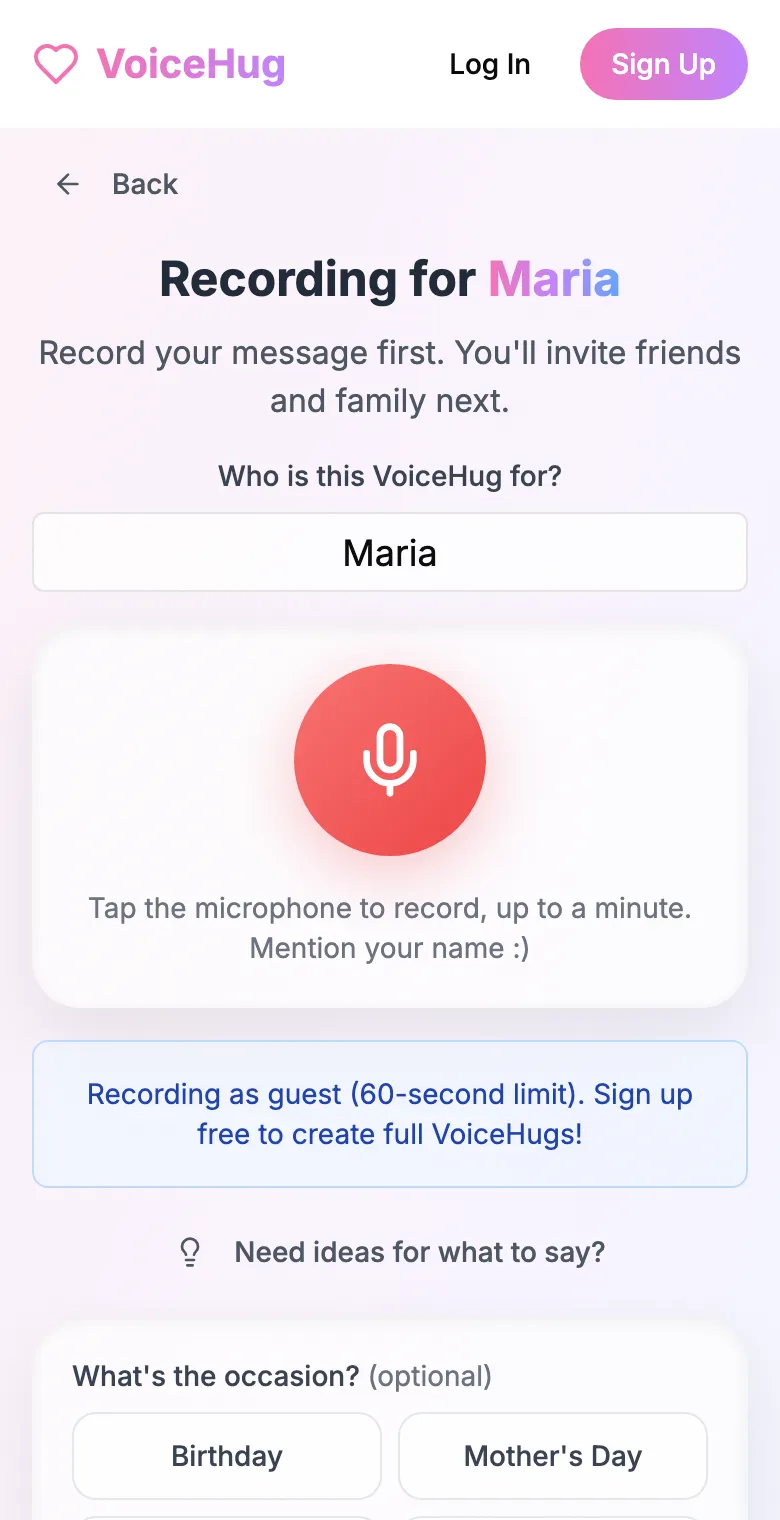
1. Record your own message
Say who it is for and record first, so everyone hears how it sounds.
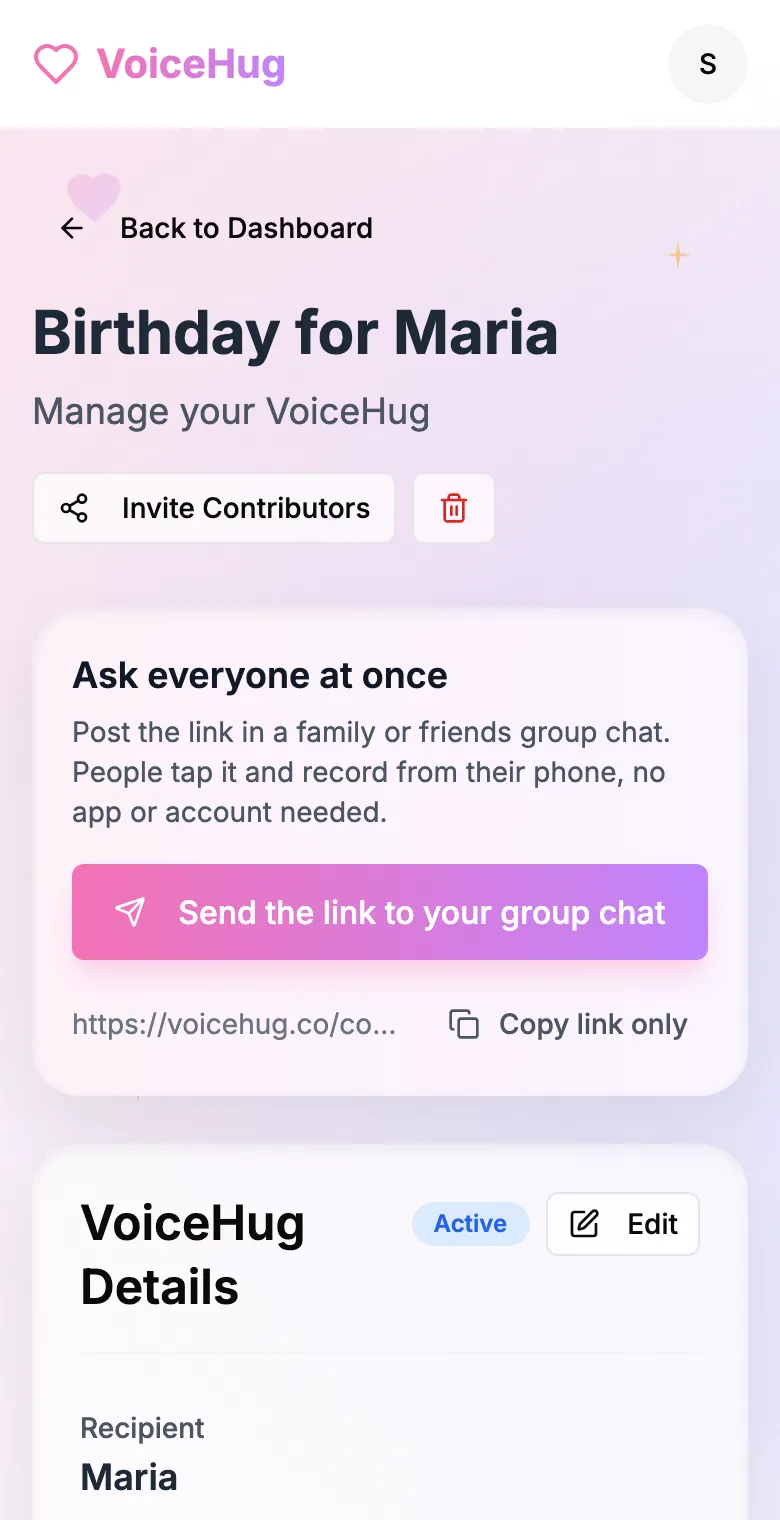
2. Send one link to the group
Post it in the family or friends group chat, or send the WhatsApp invite. You see who has recorded and can remind anyone invited by email.
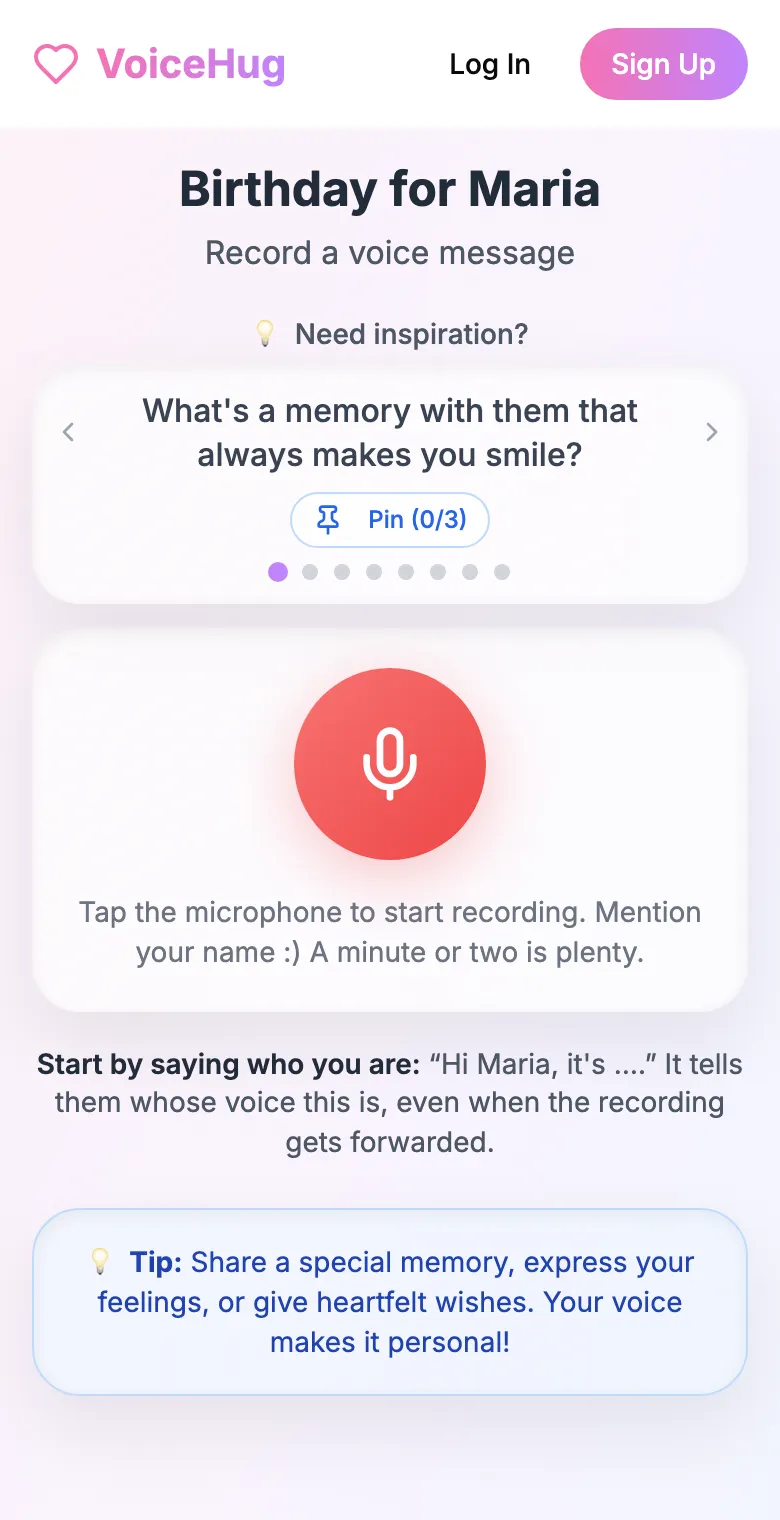
3. Each person records on their phone
They open the link and tap the microphone, with prompts if they need ideas. No app, no account. They can also send a WhatsApp voice note.
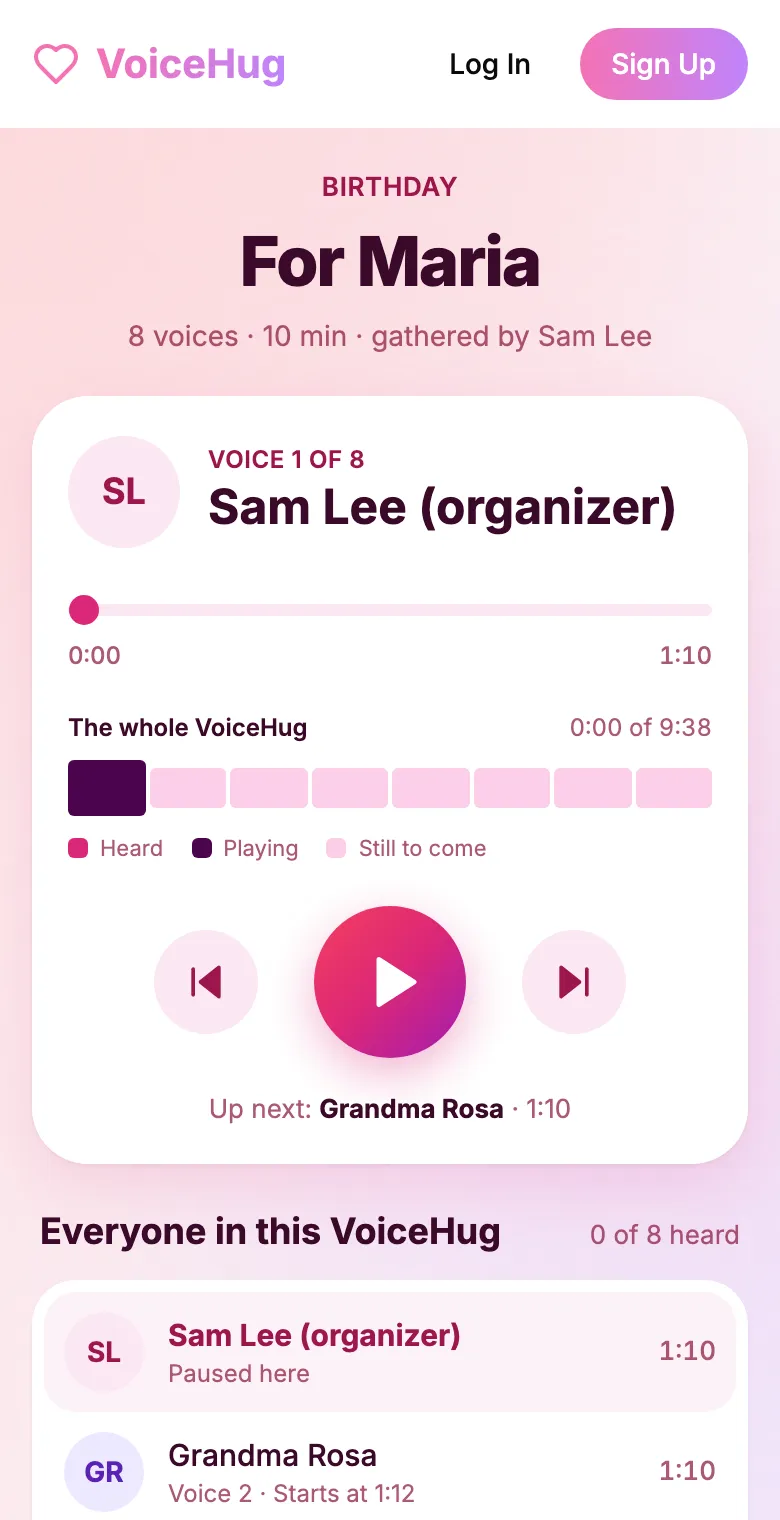
4. They get one recording
VoiceHug levels every voice, puts a short pause between them and makes one MP3 with a chapter for each person, plus a gift page to send.
Free for you and up to 5 others. $9.99 once for a larger group ($40 for a wedding).
Questions
- What is the easiest group gift app for people who are not tech savvy?
- One where contributors install nothing and sign up for nothing. With VoiceHug they open a link, tap the microphone and record, or send a WhatsApp voice note. The only prompt they see is the phone asking to use the microphone.
- Does my grandmother need to download an app or make an account?
- No. She opens the link in her phone's browser and records, or sends a WhatsApp voice note. She never signs in.
- Can I add a voice note someone sent me?
- Ask the person to tap the WhatsApp link in your invite, send the code it types, and then send their voice note; VoiceHug adds it as their message. If you started your VoiceHug on WhatsApp, voice notes you forward there are added as separate voices.
- How does the recipient listen?
- The gift page plays in the browser, with a chapter for each voice. You can also download the MP3 and send it as a file.
- What if someone does not want to record?
- Recording is optional. People who feel pressed record something generic; say it is fine to skip.
- How much does it cost?
- Free for you plus up to 5 others (6 people). For a larger group it is a one-time $9.99, with no limit on how many people record. A wedding is $40. Contributors never pay.